


How can you Convert a PST file to PDF?
Emails in the present day digital office not only serve the purpose of communicating but also act as archives of important information related to the organization, its legal transactions, and projects. Microsoft Outlook has long been the client which was being used to store this kind of data in a special format called PST (Personal Storage Table).
While this format works perfectly well within the Outlook itself, it has one huge drawback – the PST files are very inflexible. Without Microsoft Outlook, there is no chance you can access this file, thus, making it impossible to use the emails for anything other than viewing them in Outlook.
This is where the PDF (Portable Document Format) comes in handy. Accessible everywhere and secure enough, converting your PST files to PDF will be the best decision for your future. In this article, we will find out why you should do that and how.
Why Convert PST Files to PDF?
But before getting into the "how," let's take a look at the "why." There are multiple reasons why you should convert your email archives to PDF:
- Universal Availability: The PDF file will be viewable on any gadget (smartphones, tablets, laptops), without requiring Outlook or any other special email program.
- Legal Requirements and Security: The PDF format is the standard format used for creating legal documents; it can be password protected, digitally signed, and encrypted.
- Same Appearance: The PDF document guarantees that the appearance, including fonts, inline images, and metadata (To, From, Date, Subject) of your email archive is the same as the original.
- Lifetime Preservation: The proprietary formats can become outdated in time while PDF (and especially PDF/A) is an ISO-standardized format for long-term preservation.
Method 1: The Manual Approach (Best for Single Emails)
But if you just have a few emails in a PST file and you want to convert them to PDF, there's no need to look for external software. You will simply use the Print feature in Outlook.
Instructions for Windows Users:
- Launch the Microsoft Outlook program and open an email message you wish to convert.
- Click File located at the top menu bar and then click Print.
- On the Printer drop-down list, click Microsoft Print to PDF.
- Then click Print, choose where to save your file, type its name, and click Save.
Limitation: But this process is very time-consuming especially when you have to convert thousands of emails since there is no batch conversion here.
Method 2: The Best Solution for Mac Users (MacMister PST Converter)
What makes life hard for Mac users? It is the fact that Microsoft Outlook for Mac utilizes OLM files and not PST files. In case your colleagues or clients send you a PST file from their Windows computers, dealing with such files can be an absolute hassle on macOS.
MacMister PST Converter for Mac is perhaps the best, fast, and secure solution in handling PST files on macOS.
Why Should You Go For MacMister PST Converter?
MacMister is a dedicated utility tool that enables one to overcome the compatibility problems that exist in macOS. This tool helps one to convert PST files into PDF format in batches even without Outlook on your computer.
Step-by-Step Guide to Convert PST to PDF on Mac:
Step 1. Install the MacMister PST Converter for Mac onto your computer.
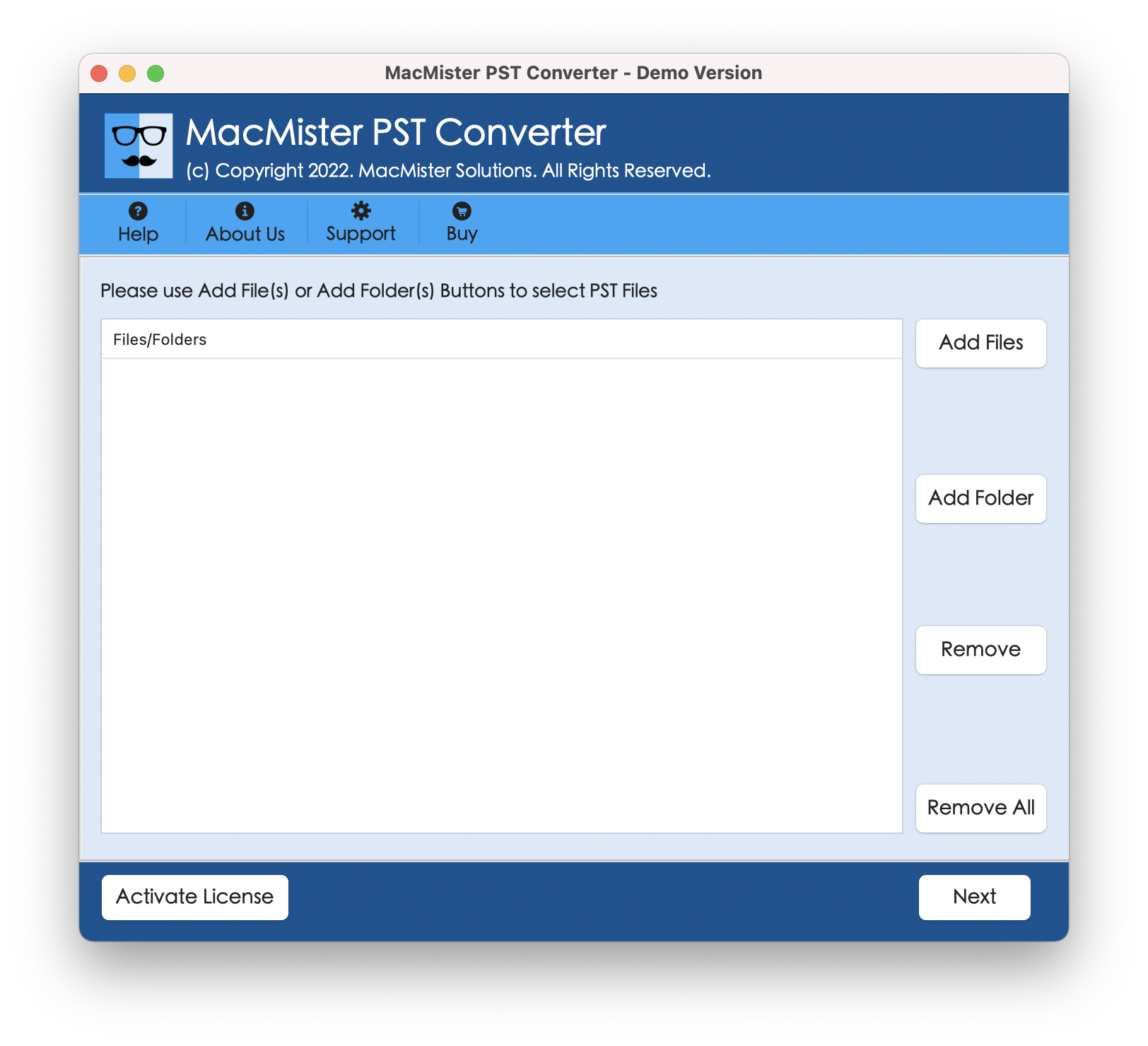
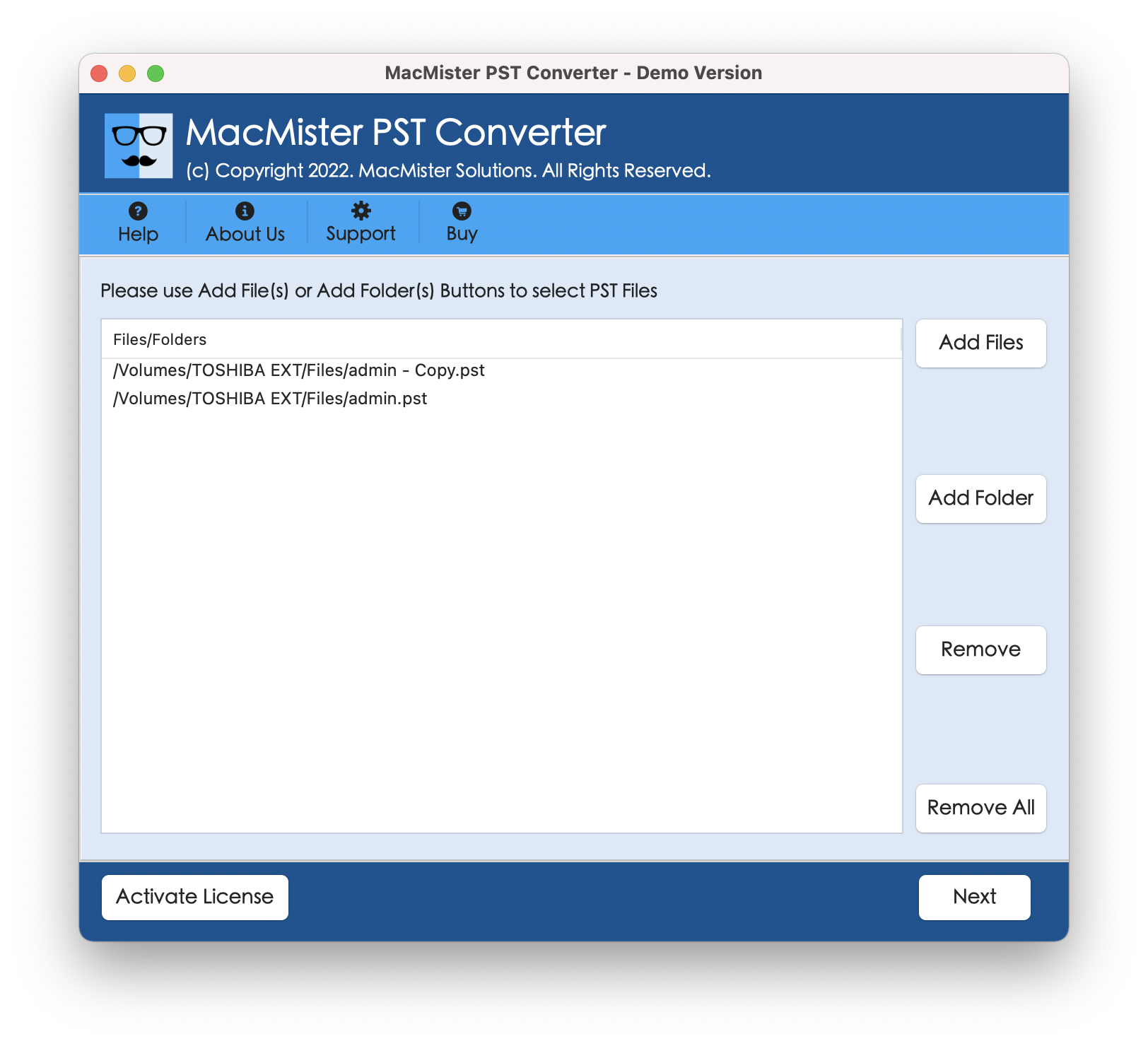
Step 2. Click on the Add Files/Add Folder option in order to add the PST files which you would like to convert into PDF.
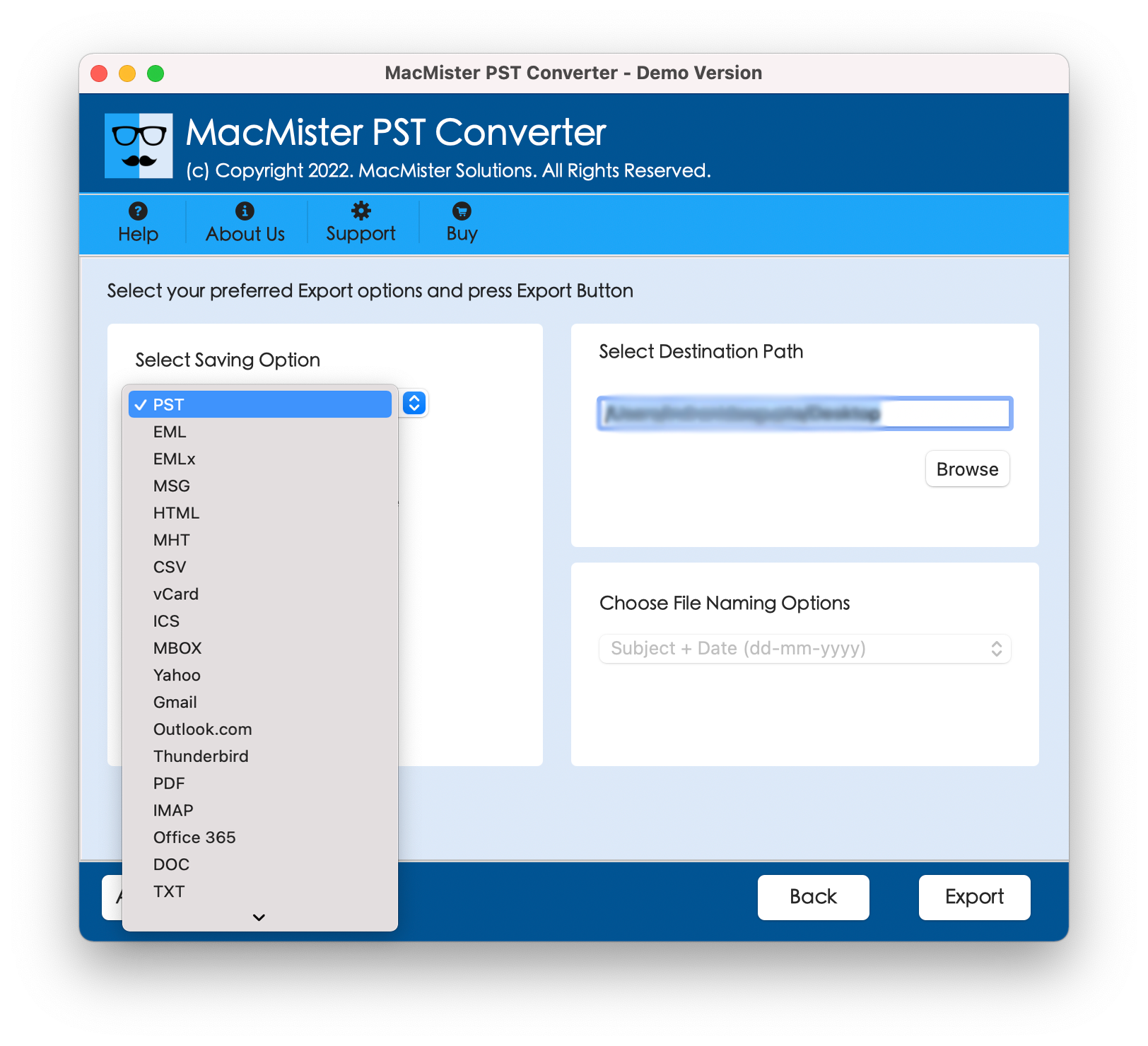
Step 3. Select PDF from the "Select Saving Option" list of options provided.
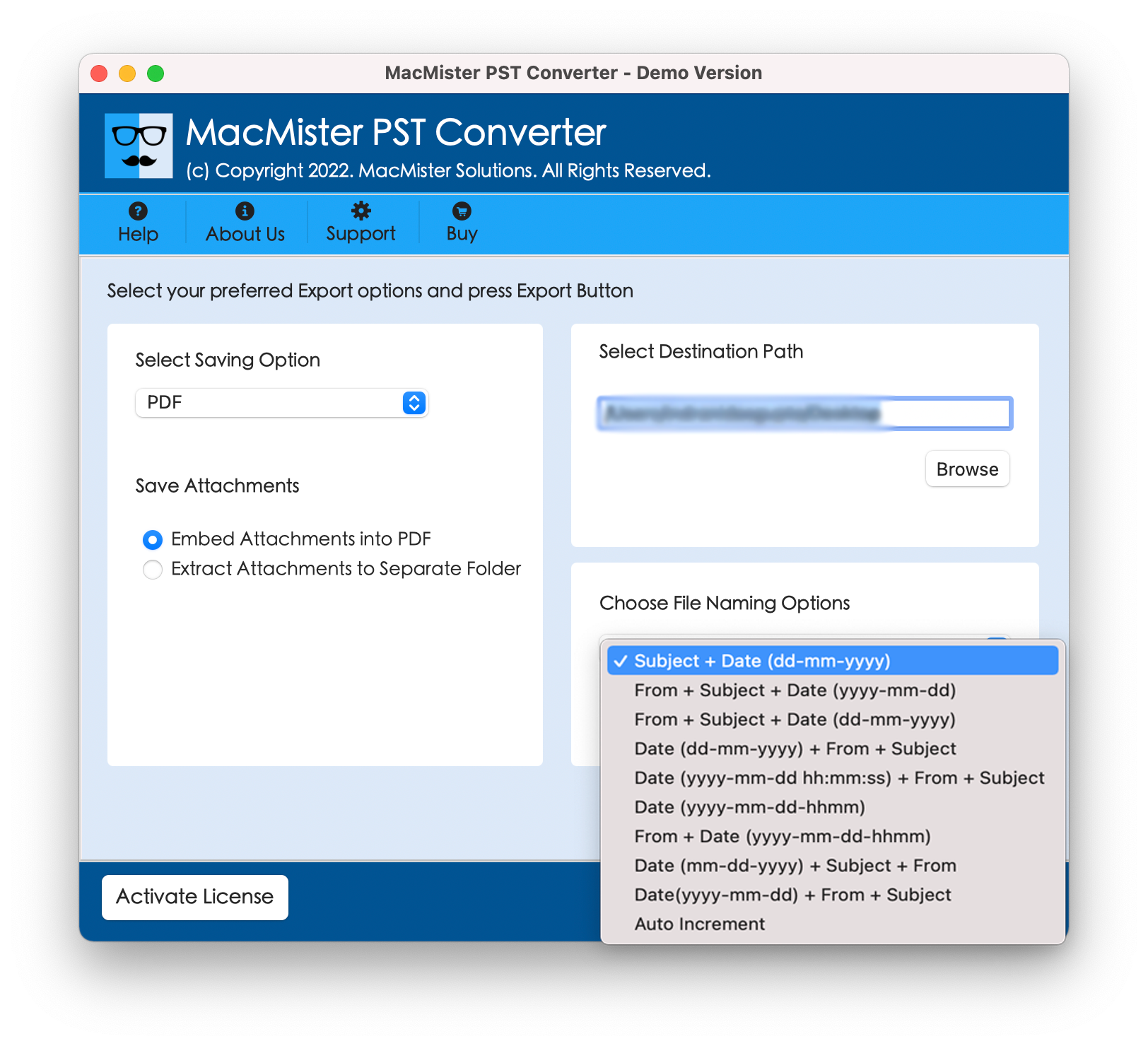
Step 4. Choose your output directory where the converted PDF documents will be stored. You may also set up additional filtering criteria (such as date range or folder) and file naming options as per your requirements.
Step 5. Click on the Export option, after which the program will quickly process all the files with an ongoing status update.
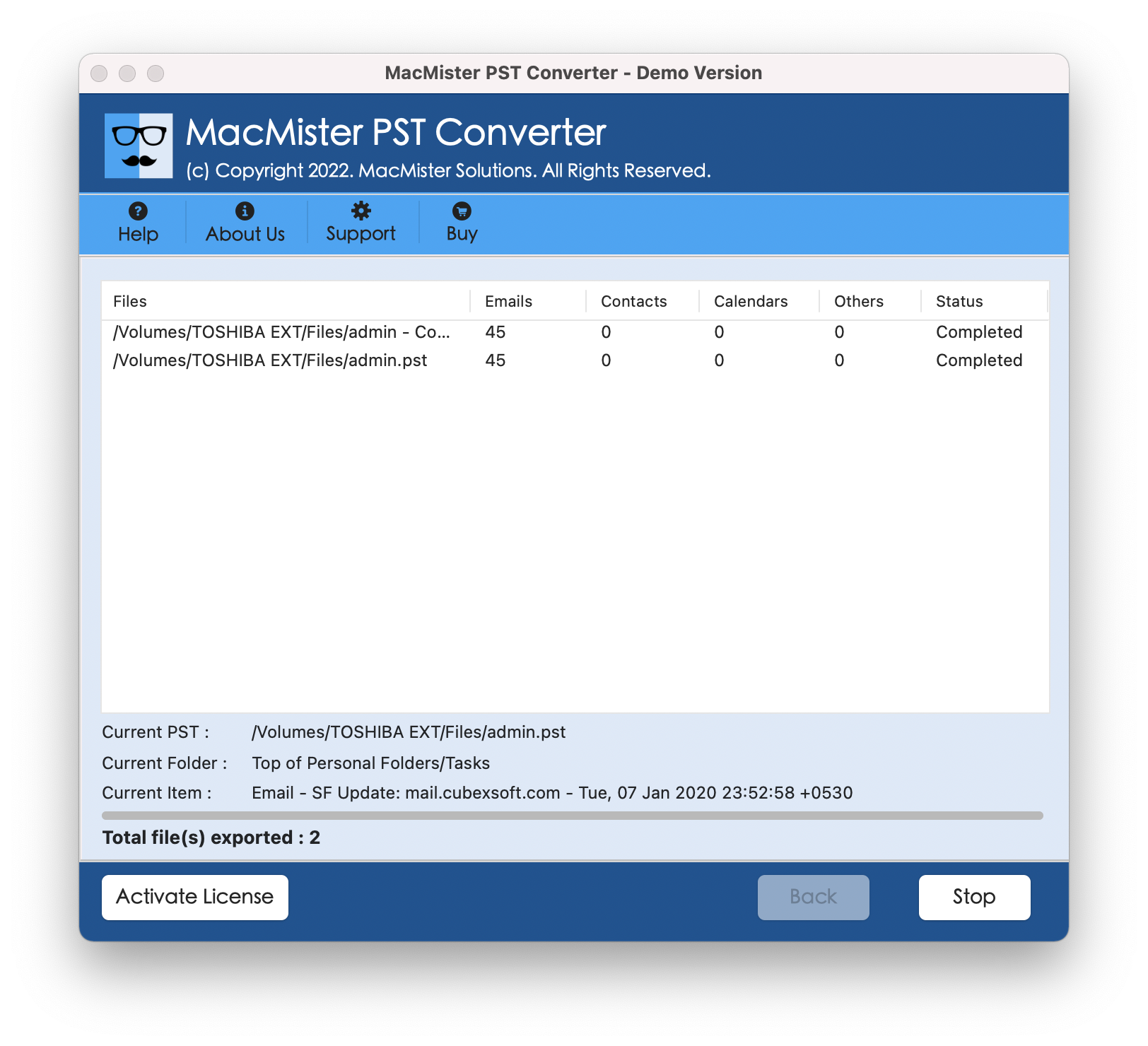
After the process is done, you will be notified and the universal PDF documents will be available for use.
Method 3: Adobe Acrobat Pro (For Windows Outlook Integration)
If you’re using Windows and you have subscribed to the Adobe Creative Cloud service, then you can easily use Adobe Acrobat Pro’s plugin that comes along with Outlook.
- Open Outlook on your Windows computer.
- Select the emails or folders that need to be converted.
- Pick the Adobe PDF option from the Outlook Ribbon.
- Click on Convert Selected Messages (or Folders) and then click on the Create New PDF option.
- Choose a location for saving your PDF portfolio.
Conclusion
PST to PDF conversion is one of the important steps required for any individual who needs to keep his or her digital correspondences secured, shared, or archived forever. Although the print function of Outlook works well for individual emails, it totally fails in large-scale conversions.
For Windows users, there are many plugins available; however, for macOS users dealing with inflexible Windows PST files, MacMister PST Converter for Mac will make your work easy.

 Arabic
 French
 Spanish
 Portuguese
 Deutsch
 Turkish
 Dutch
Dutch
 Italiano
 Russian
 Romaian
 Portuguese (Brazil)
 Greek
Greek