


Usability Testing for Cross-Platform App Design: Tips for Better User Retention
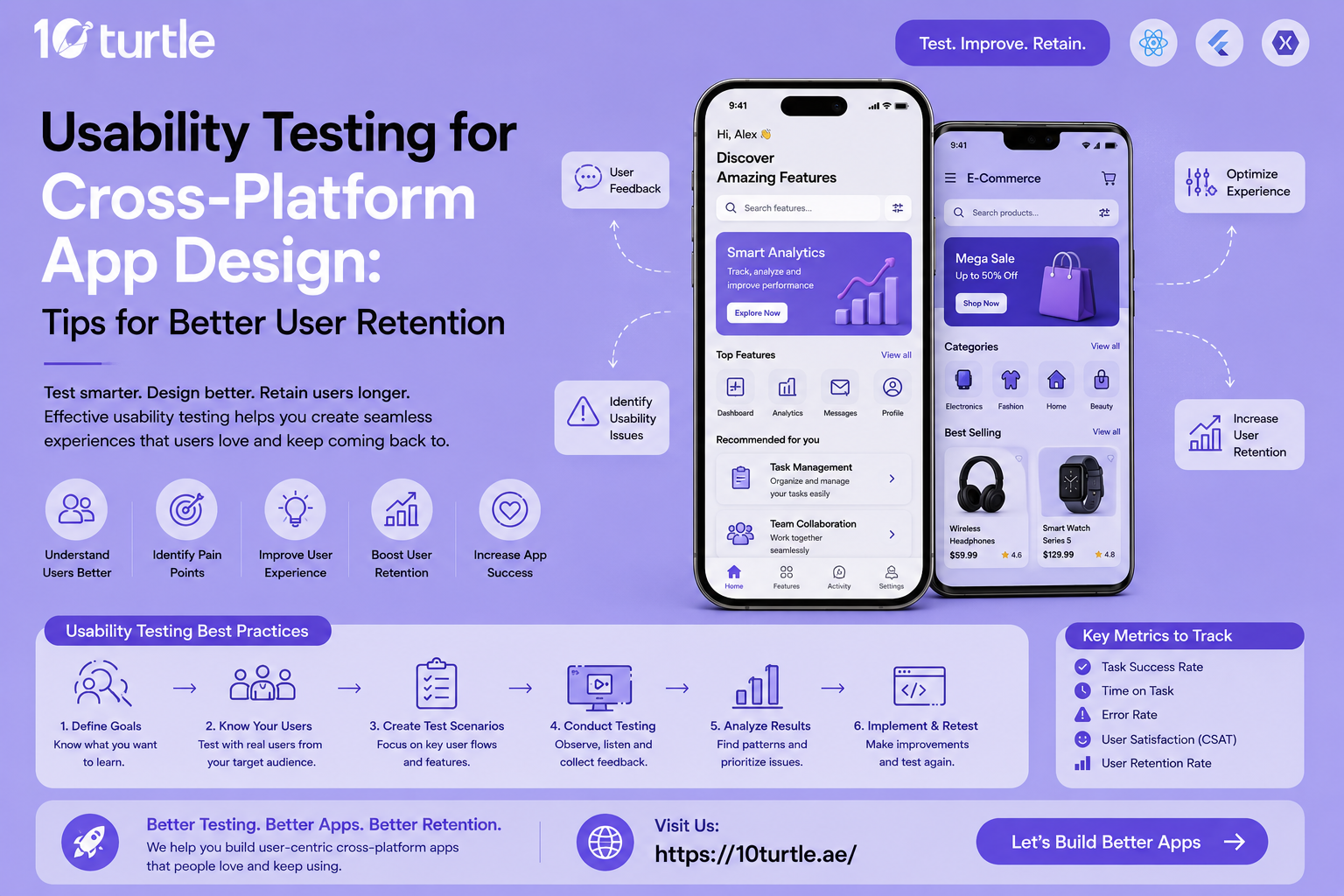
Every app owner wants users who stay, not just users who download and disappear. That's where usability testing earns its place in the product cycle. Before you spend another dirham on paid ads, it makes sense to invest in structured usability testing for your app so real users, not assumptions, guide your design decisions. Whether you're building for iOS, Android, or a hybrid web app, testing across platforms early helps you catch friction points before they cost you retention. In markets like the UAE, where mobile-first behavior is the norm, this step isn't optional anymore it's foundational.
Why Usability Testing Matters for Cross-Platform Apps
Cross-platform apps face a unique challenge: the same interface has to feel native on very different operating systems, screen sizes, and interaction patterns. What works smoothly on an iPhone might feel clunky on a mid-range Android device, and a layout that reads well on a tablet can break entirely on a small screen. Usability testing exposes these inconsistencies before launch, not after your app store reviews start dropping.
Beyond device fragmentation, usability testing helps teams understand real user behavior where people hesitate, where they tap the wrong button, and where they simply give up. These moments of friction are often invisible to designers who know the app inside out, which is exactly why outside testing is so valuable.
Key Usability Testing Methods Worth Using
Moderated testing involves watching users complete tasks in real time while you ask follow-up questions. It's slower but rich with qualitative insight.
Unmoderated remote testing lets users complete tasks on their own schedule using tools that record their screen and voice. This method scales well for teams testing across multiple regions.
A/B testing compares two versions of a screen or flow to see which performs better on measurable metrics like completion rate or time-on-task.
Heatmaps and session recordings show exactly where users tap, scroll, and drop off, giving designers a visual map of behavior instead of guesswork.
Accessibility testing checks whether your app works for users with visual, motor, or cognitive impairments a step too many teams still skip.
Combining at least two or three of these methods gives a fuller picture than relying on just one.
UAE-Specific Considerations for App Usability
The UAE market has its own usability demands that generic testing frameworks often miss. With one of the highest smartphone penetration rates globally, UAE users expect apps to load fast, look polished, and work flawlessly on both flagship and mid-tier devices used across the expat and local population.
Language and layout matter more here than in many other markets. A large share of UAE users switch between English and Arabic, so testing must include right-to-left (RTL) layout validation, not just translation accuracy. An app that looks great in English but breaks visually when flipped to Arabic will lose trust fast, especially with government-facing or fintech apps where credibility is everything.
Payment behavior is another local nuance. UAE users frequently rely on region-specific payment gateways alongside international cards, so usability testing should confirm that checkout flows handle both smoothly without extra friction. Testing with a sample group that reflects the country's diverse, multicultural user base rather than a single demographic produces far more reliable insights for apps targeting Dubai, Abu Dhabi, Sharjah, and beyond.
Tips for Better User Retention Through Usability Testing
-
Test onboarding relentlessly. Most user drop-off happens in the first session. A confusing sign-up flow or an unclear value proposition on screen one can undo months of development work.
-
Prioritize load speed on mobile data. Not every user tests your app on fast Wi-Fi. Simulate slower connections during testing to catch performance issues early.
-
Watch for platform-specific gestures. Swipe behaviors, back-button expectations, and navigation patterns differ between iOS and Android; testing both separately avoids awkward compromises.
-
Run tests after every major update. Retention isn't a one-time fix new features can quietly introduce new friction if they aren't tested against existing user habits.
-
Include real target users, not just internal staff. Employees are too familiar with the product to notice what confuses a first-time user.
-
Measure task completion time, not just satisfaction scores. Users may say an app "feels fine" while still struggling silently to complete basic actions.
Common Mistakes That Hurt Retention
Many teams treat usability testing as a final checkbox before launch rather than an ongoing habit. Others test only on their own devices, missing how the app performs on older or less powerful hardware common in price-sensitive markets. Skipping localization testing, ignoring accessibility, and relying solely on analytics without direct user observation are also frequent gaps that quietly chip away at retention numbers over time.
FAQs
Q1. How often should usability testing be done for a cross-platform app?
Ideally before every major release and at least once per quarter for ongoing apps, since user behavior and device ecosystems change constantly.
Q2. How many users are needed for reliable usability testing?
Research consistently shows that testing with five to eight users per platform is usually enough to surface most major usability issues.
Q3. Does usability testing really improve retention rates?
Yes. Fixing friction points identified through testing directly reduces early drop-off, which is one of the biggest drivers of poor retention.
Q4. Is usability testing different for Arabic-language apps in the UAE?
Yes, RTL layout behavior, text expansion, and cultural tone all need separate validation beyond standard English-language testing.
Q5. What's the difference between usability testing and QA testing?
QA testing checks whether the app works correctly from a technical standpoint; usability testing checks whether real users can use it easily and intuitively.
Conclusion
Cross-platform usability testing isn't just a design formality it's one of the most direct ways to protect user retention. For apps targeting the UAE specifically, factoring in bilingual layouts, diverse device usage, and local payment behavior makes testing even more essential. Teams that treat usability testing as a continuous habit, not a one-time task, are the ones that keep users coming back long after the first install.

 Arabic
 French
 Spanish
 Portuguese
 Deutsch
 Turkish
 Dutch
Dutch
 Italiano
 Russian
 Romaian
 Portuguese (Brazil)
 Greek
Greek