


What is a Udyam Certificate? Download Udyam Certificate Online
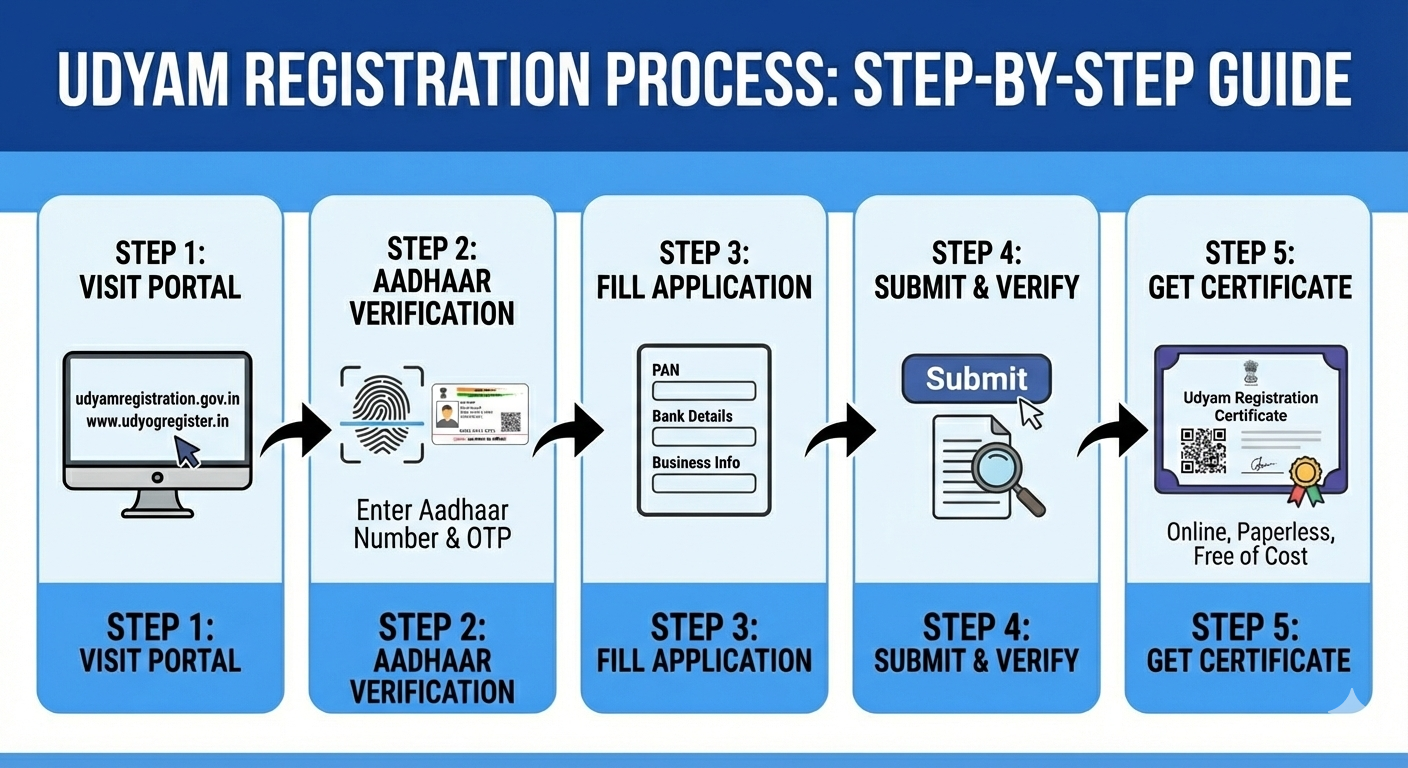
Udyam Registration is a free online process to register Micro, Small and Medium Enterprises (MSMEs) in India. After completing the registration process MSME business owners received a 16 digit permanent identification number(URN) to access all MSME benefits like collateral free loan, protection against delayed payment and direct tax deduction.
The process to download udyam certificates is 100% digital. If you have already registered your business but you don’t have a physical certificate don’t worry you can download Udyam Certificate in a few steps.
In this blog I will guide the exact steps to download udyam certificate online and explain why udyam certificate is a must have document.
What is the Udyam Certificate?
The Udyam Certificate is a government issued document that provides a 12-digit Udyam Registration Number (URN) to MSMEs. This certificate is a permanent proof of business and its classification as a Micro, Small, or Medium enterprise based on investment and turnover.
Why Should You Download Your Udyam Certificate?
Udyam certificate unlocks several benefits from the Government like :-
-
Collateral-Free Loans: Banks prioritize Udyam-registered businesses for credit under the CGTMSE scheme.
-
Lower Interest Rates: Most banks offer a 1% to 1.5% interest rate concession for registered MSMEs.
-
Subsidy on Patent & Trademark: Get up to a 50% discount on government fees for filing patents and trademarks.
-
Protection Against Delayed Payments: Under the MSME Samadhaan portal, buyers are legally required to pay you within 45 days.
-
Electricity & Tax Concessions: Many states offer exemptions on electricity bills and direct tax laws for Udyam holders.
Udyam Certificate download process
Udyam Certificate download process is 100% online to download your certificate you required the following details :-
-
Udyam Registration Number (URN): The 12-digit Udyam Registration Number
-
Registered Mobile Number: The mobile number you used while registration
Step-by-Step: How to Print Your Udyam Certificate Online
Step 1: Visit the Portal
Visit the Udyog register portal and click on Udyam Annexure Certificate.
Step 2: Enter Your Credentials
On the login screen, you will see fields requesting your:
-
12-digit Udyam Registration Number.
-
Registered Mobile Number.
Step 3: OTP Verification
For security purposes, the system will send a One-Time Password (OTP) to your registered mobile number and email Address. Select where you want to receive the OTP and click on Generate OTP.
Step 4: Validate and View
Enter the OTP received on your phone. Once validated, your Udyam Certificate will appear on the screen.
Step 5: Print or Save as PDF
You will see two options:
-
Print Certificate: To get the basic certificate.
-
Print with Annexure: Udyam Annexure Certificate has more detailed information about the business activities. So if you are printing your Certificate for bank loan or tender purpose we will suggest you to print udyam certificate with annexure.
Facing Issues? We Can Help!
Sometimes, technical glitches or forgotten registration numbers can make it difficult to access your certificate.If you have any issue regarding Udyam Certificate Download, Update Udyam Certificate our expert team is here to assist you.
Conclusion
Your Udyam Registration Certificate is more than just a piece of paper—it is your business's identity card. It will take five minutes to download, print, and file it safely so you never miss out on the benefits your business deserves.

 Arabic
 French
 Spanish
 Portuguese
 Deutsch
 Turkish
 Dutch
Dutch
 Italiano
 Russian
 Romaian
 Portuguese (Brazil)
 Greek
Greek