


How to Set Up a Professional Outlook iPhone Signature
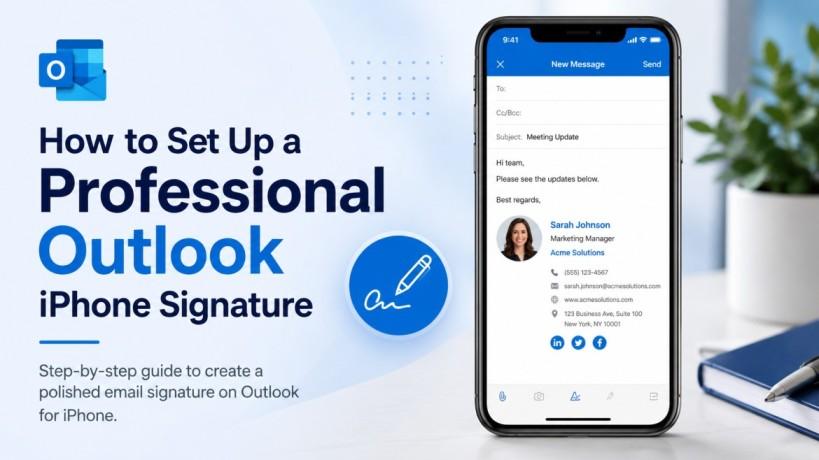
In the modern digital landscape, a significant portion of business communication happens via mobile devices. If your desktop emails feature a sleek, branded footer but your mobile replies end with a generic "Sent from my iPhone," it creates a disconnect in your professional image.
Setting up a dedicated Outlook iPhone signature ensures that your contact details, company logo, and social media links remain visible regardless of where you are working. This consistency builds trust with clients and colleagues, proving that your attention to detail doesn't stop when you leave your desk.
Step-by-Step Guide: Setting Up Your Outlook iPhone Signature
Configuring your signature in the Outlook app is a straightforward process, but there are nuances to ensuring it renders correctly across different email clients.
1. Accessing the Settings Menu
First, open the Outlook app on your iPhone. Tap your profile icon or the "Home" button in the top left corner. At the bottom of the sidebar that appears, you will see a gear icon. Tap this to open your Settings.
2. Locating the Signature Option
Scroll down through the settings until you find the "Mail" section. Here, you will see an option labeled Signature. Tap it to enter the customization screen.
3. Customizing Your Text
By default, the app might have a standard placeholder. You can delete this and type in your preferred Outlook iPhone signature. For a professional look, include your full name, job title, and company name.
4. Per-Account vs. All Accounts
If you have multiple email addresses synced to your Outlook app (such as a personal Gmail and a professional Solzorro account), you can choose to have a "Per Account" signature. This allows you to maintain different personas for different audiences, which is a highly effective content marketing strategy for professionals juggling multiple roles.
Best Practices for Mobile Email Branding
When designing your signature for a mobile screen, less is often more. Large images or complex HTML can sometimes break on smaller displays or slow down the loading time of your messages.
Keep It Concise
While it is tempting to include every social media handle, a mobile signature should focus on the essentials. A clean Outlook iPhone signature usually consists of three to four lines of text. This keeps your emails readable and prevents the footer from overwhelming the actual message content.
Using Hyperlinks Wisely
If you want to drive traffic to your website or a specific landing page, use a single, clear hyperlink. This is an excellent way to boost your digital visibility without cluttering the interface. Ensure the link is "thumb-friendly," meaning it isn't so small that it's difficult to click on a touchscreen.
Testing Across Devices
Before finalising your signature, send a test email to yourself and view it on both a desktop and a different mobile device. This ensures that the formatting you see in the Outlook app translates well to other platforms like Apple Mail or Gmail.
Troubleshooting Common Issues
Sometimes, your Outlook iPhone signature might not appear exactly as intended. Common issues include images not loading or fonts changing unexpectedly.
Image Rendering Problems
If your company logo isn't appearing, it may be due to the recipient's email settings blocking external images. To mitigate this, ensure your image is hosted on a reliable server and keep the file size small.
Formatting Sync Issues
If you notice that your signature keeps reverting to a previous version, try toggling the "Account" settings off and on again. This often forces the app to sync with the latest cloud-saved preferences.
By maintaining a consistent outlook iphone signature, you reinforce the technical authority of your firm. It shows that your organisation values technical precision, from managed IT services to the smallest email footer.
Frequently Asked Questions
Can I use HTML in my Outlook iPhone signature?
The Outlook mobile app has limited support for complex HTML compared to the desktop version. While basic bolding and links work well, intricate layouts may not render correctly. It is best to keep mobile signatures simple.
How do I add an image to my signature on iPhone?
You can copy an image from your photos or a website and paste it directly into the signature text box within the Outlook settings. However, be mindful of how large images may impact mobile data usage for your recipients.
Does the signature sync from my desktop Outlook?
Currently, the Outlook app for iOS does not automatically sync your signature from the desktop version. You must set it up manually within the app settings to ensure your Outlook iPhone signature is active.
Can I have different signatures for different email accounts?
Yes, within the Signature settings in the Outlook app, you can select the "Per Account" toggle. This allows you to create unique signatures for each email address connected to the app.
Conclusion
Mastering your mobile branding is a small step that yields significant professional rewards. By following this guide, you ensure that every communication sent from your device is polished, informative, and aligned with your brand identity. Whether you are discussing cybersecurity or coordinating a local marketing campaign, your email footer will now reflect your professional standards.
If you need further assistance with your digital infrastructure or want to optimise your firm's online presence, feel free to contact us for expert guidance.

 English
 Arabic
 French
 Spanish
 Portuguese
 Turkish
 Dutch
Dutch
 Italiano
 Russian
 Romaian
 Portuguese (Brazil)
 Greek
Greek