


How to Build the Best Custom Built Gaming PC for Your Needs
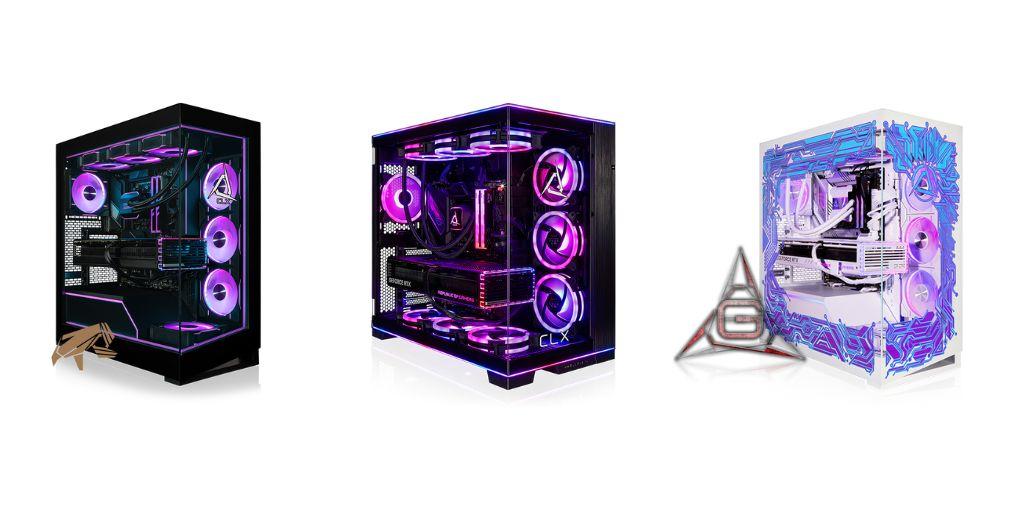
Building your own gaming PC can feel intimidating at first, but it’s undeniably a lot more fun and rewarding than just buying a pre-built system. A custom-built PC lets you choose exactly what you want, from the graphics card to the case design. You can also optimize it to run your favorite games smoothly without wasting money on features you don’t need. Here’s a friendly guide to help you build the best custom built gaming PC for your needs:
Understanding Your Gaming Needs
Before you go online to browse PC components, it’s important to figure out what kind of gaming experience you’re after. Do you want to play the latest triple-A titles at maxed-out ultra settings, or are you more into competitive esports games where high frame rates matter more than fancy visuals? Knowing this will help you prioritize which components to invest in.
If high frame rates are indeed your goal, you might want to put more of your budget towards a powerful CPU and a high refresh rate monitor. If visuals and immersive gameplay are your priority, you’ll want a top-tier graphics card and maybe even a larger amount of RAM than the standard 16 GB that most guides recommend.
Choosing the Right CPU and GPU
The CPU and GPU are the heart of any gaming PC. Your CPU handles all the calculations and logic behind the scenes, while your GPU renders the graphics you see on your screen.
For most gamers, the GPU is more critical because it directly affects frame rates and visual quality. If you’re planning to stream your gameplay or run demanding software alongside games, a strong CPU is equally important. Brands like Intel and AMD offer a range of options, so you can pick one that balances performance and price. Just make sure that your CPU and GPU complement each other to avoid bottlenecks that could slow down your system.
RAM, Storage, and Cooling
Once you’ve got your CPU and GPU sorted, it’s time to think about RAM and storage. Most modern games run smoothly with 16GB of RAM, but if you want to future-proof your system or multitask heavily, 32GB is a safe bet. For storage, a combination of an SSD and an HDD works best: the SSD for your operating system and frequently played games, and the HDD for mass storage.
Don’t forget about cooling! Gaming PCs generate a lot of heat, so a good CPU cooler, case fans, or even liquid cooling can make a huge difference in maintaining performance and prolonging the life of your components.
Picking the Right Case and Accessories
The case is more than just a shell; it affects airflow, noise levels, and even your ability to upgrade later. Look for a case that has enough space for your GPU, adequate ventilation, and a design you actually like.
Accessories matter too. Mechanical keyboards, responsive mice, and a quality monitor can all enhance your gaming experience significantly. Also, consider cable management while building; it might seem trivial, but neat cables improve airflow and make your rig look professional.
Let CLX Build Your Next Gaming PC
If you want all the bells and whistles that come with a custom build but decidedly don’t want to physically put the PC together yourself, then you might want to consider partnering with a custom system integrator like CLX. Using their online Ultimate Configurator tool, you can virtually build the gaming PC of your dreams from the ground up: it’s as simple as clicking through a few dropdowns that present all of your available options. From there, CLX’s experts will physically build your custom PC and ship it out to you. To learn more, visit the CLX website now.
For more information about Custom Gaming Laptop Builder and Build Your Own Gaming Pc Please visit : Cybertron International Inc.

 English
 Arabic
 French
 Spanish
 Portuguese
 Deutsch
 Turkish
 Dutch
Dutch
 Italiano
 Romaian
 Portuguese (Brazil)
 Greek
Greek