


2024’s Fastest Ways to Convert JPG to PES Without Losing Quality
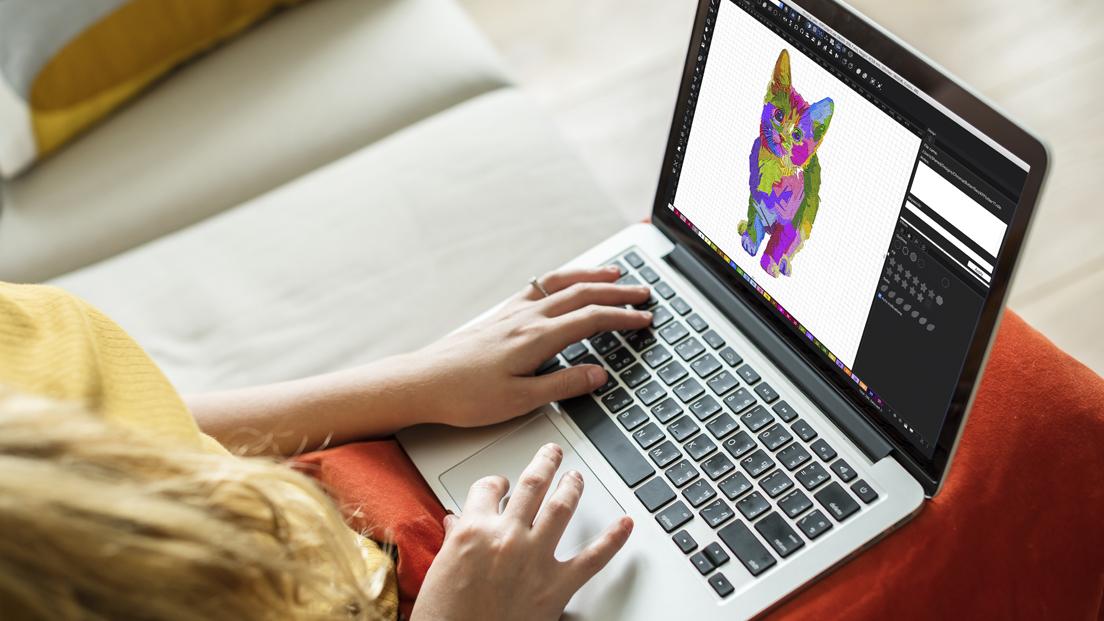
You have a brilliant JPG image—a custom logo, a sentimental graphic, or a clever design—that you’re ready to immortalize in thread. But your Brother embroidery machine doesn’t speak the language of pixels; it operates on the precise instructions found in a PES file. The challenge is clear: you need to convert JPG to PES file format, and you need to do it quickly without ending up with a pixelated, puckered mess. The goal isn't just a fast conversion, but a smart one that preserves the integrity of your original design in the final stitched product.
The journey from a flat image to a textured embroidery design is called digitizing. It's a specialized skill, but in 2024, the tools available make it more accessible than ever. A JPG is a passive grid of colors, while a PES file is an active set of commands telling your machine where to move, what stitch type to use, and when to change thread. This guide will walk you through the fastest modern methods to achieve this conversion, focusing on workflows that prioritize quality and efficiency, saving you from wasted time, thread, and frustration.
Why "Fast" Doesn't Have to Mean "Sloppy"
The quest for speed often leads people to one-click solutions that produce unusable files. The true "fastest" method is the one that gets you a high-quality, stitch-ready PES file on the first try. A poorly digitized design might convert in two minutes but cost you an hour of troubleshooting thread breaks, puckering fabric, and disappointing results. A well-digitized file runs smoothly from the start, which is the ultimate time-saver. Speed is about the entire workflow, not just the initial conversion click.
Method 1: The AI-Powered Online Converter (The New Speed Demon)
For simple designs, modern online converters are the quickest entry point. The landscape has evolved, with some platforms now incorporating basic AI to make better initial decisions than the crude auto-digitizers of the past.
How it Works:
You upload your JPG, select PES as your target format, and the platform's algorithm analyzes the image to distinguish shapes and edges before generating a stitch file.
When This is Your Fastest Option:
-
Your design is a simple, high-contrast logo, silhouette, or piece of text.
-
You need a basic PES file in a matter of minutes for a one-time project.
-
You're a beginner testing the digitizing waters.
The 2024 Quality Check:
Even the best online tools have limits. To avoid quality loss, you must feed them a perfect image. Before uploading, use a free tool like Canva or GIMP to:
-
Remove the background completely.
-
Increase the contrast sharply.
-
Simplify the design by removing any tiny details or subtle gradients.
The Trade-Off: Speed comes at the cost of control. You cannot fine-tune stitch types, density, or sequence, which often leads to a design that uses more thread than necessary and may not stitch optimally on specific fabrics.
Method 2: Dedicated Software with Smart Automation (The Professional's Shortcut)
This is, without question, the fastest method for anyone who needs consistent, high-quality PES files. Software like Hatch Embroidery, Wilcom EmbroideryStudio, and Brother's own PE-Design offer powerful auto-digitizing functions that are far superior to online tools.
Why This is Truly the Fastest Overall Method:
-
Advanced Algorithms: The auto-digitize function in these programs makes intelligent decisions, creating a much better starting point than an online converter.
-
Integrated Editing Power: This is the key to speed without quality loss. The conversion is just the first draft. You can then immediately use the software's tools to optimize the design. This includes:
-
Reducing Colors: Merging similar shades to minimize thread changes.
-
Adjusting Stitch Density: Preventing puckering (too dense) or gappy fills (too sparse).
-
Cleaning Up Stitches: Removing unnecessary jump stitches and refining complex areas.
-
-
Batch Processing: Some programs allow you to convert multiple JPGs to PES in a single queue, a massive time-saver for businesses.
This method might have a higher initial time investment due to the learning curve, but the long-term efficiency and flawless results make it the undisputed champion for speed and quality.
Method 3: The Hybrid Approach: Automate, Then Perfect
For the individual user, the absolute fastest workflow for a single complex design is the hybrid approach. You use the software's auto-digitize as a powerful foundation and then perform a targeted "quality sweep."
Your post-conversion checklist for a fast quality assurance should focus on three things:
-
Stitch Density: Select all fill areas and check the density settings. For most standard fabrics, a density between 0.4mm and 0.6mm is a good starting point to prevent quality issues.
-
Pull Compensation: This technical-sounding setting is crucial for sharp shapes. It accounts for the thread pulling the fabric and distorting satin columns. A small adjustment (e.g., 0.2mm) can make the difference between a rounded square and a perfect one.
-
Stitch Order: Use the software's object list to ensure the design stitches from the bottom layer to the top, which stabilizes the design as it builds.
Pro Tips for a Flawless Conversion in 2024
The speed and quality of your conversion depend heavily on what you do before you even click "convert."
1. Start with the Right Image:
The golden rule of digitizing remains unchanged: simple, vector-like images work best. A complex family photograph will never convert well. A bold, clear logo will. If you can, start with an SVG or PNG with a transparent background instead of a JPG.
2. Know Your Fabric in Advance:
This is a modern pro-tip. The ideal PES file for a stiff baseball cap is different from one for a stretchy t-shirt. If your digitizing software allows, input the fabric type before you auto-digitize. Some advanced programs will adjust their stitch recommendations accordingly, giving you a better-quality base file instantly.
3. Don't Skip the Test Stitch:
The fastest way to guarantee quality is to always do a test run on a scrap piece of your actual project fabric. This 5-minute step can save you from ruining a final garment and confirms that your "fast" conversion was also a successful one.
What About Manual Digitizing?
Manual digitizing—where a designer manually traces the image and assigns every stitch—is the slowest process and is not a "fast way" to convert a file. However, for incredibly complex designs or corporate logos where brand integrity is paramount, it is the only way to achieve the highest possible quality. For most users' needs, the smart automation in dedicated software provides the perfect balance.
Conclusion: Smart Workflows Are the Real Time-Savers
In 2024, the fastest way to convert JPG to PES file without sacrificing quality isn't a single magic button. It's a smart, layered approach. For the casual user with a simple design, a modern AI-powered online converter can be surprisingly effective if the image is properly prepared. But for anyone serious about embroidery—whether a small business owner or a dedicated hobbyist—the investment in dedicated embroidery software is the ultimate fast pass.
These programs transform a potentially slow, error-prone process into a streamlined workflow. They give you the speed of automation coupled with the quality assurance of professional editing tools. By starting with a clean image and leveraging the right software, you can confidently turn any JPG into a pristine PES file that your Brother machine will stitch perfectly, the first time and every time.

 English
 French
 Spanish
 Portuguese
 Deutsch
 Turkish
 Dutch
Dutch
 Italiano
 Russian
 Romaian
 Portuguese (Brazil)
 Greek
Greek