


Affordable Pre-Owned Notebooks: What to Look for Before You Buy
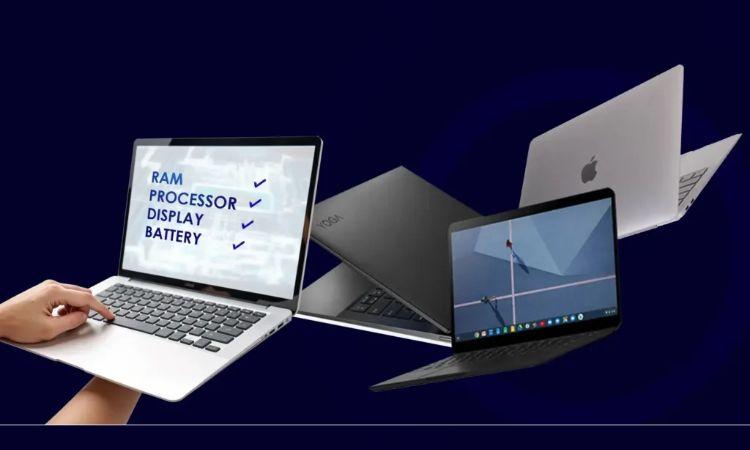
The second-hand laptop market has exploded in recent years, and for good reason. With technology advancing at breakneck speed and new models launching every few months, perfectly functional machines are being retired far earlier than necessary. This creates an incredible opportunity for savvy buyers who know what they're looking for.
I've spent years analysing consumer electronics markets, and I can tell you this: buying a pre-owned notebook isn't just about saving money—it's about making a smart investment that balances performance, value, and sustainability. But here's the catch: not all used laptops are created equal, and without the right knowledge, you could end up with an expensive paperweight.
Let me walk you through exactly what you need to know.
Learn more: https://valuegadgets.com.au/
Understanding the Pre-Owned Laptop Landscape
The used technology market has matured significantly. We're no longer talking about dodgy machines sold from car boots. Today's market includes professionally refurbished units, certified pre-owned programmes from major manufacturers, and peer-to-peer platforms with buyer protection.
Recent data shows that the refurbished electronics market is projected to reach $120 billion globally by 2028. Australians are particularly embracing this trend, with searches for budget-friendly computing options increasing by 47% year-on-year. This isn't just about cost—it's about value consciousness and environmental responsibility.
The Three Categories You'll Encounter
Before diving into specifics, you need to understand the different types of pre-owned machines available.
Certified Refurbished Units come directly from manufacturers or authorised partners. These have been professionally restored, tested against strict standards, and typically include warranties. A refurbished MacBook from Apple, for instance, undergoes the same rigorous testing as new units and comes with a one-year warranty. Similarly, refurbished Dell laptops through Dell's official outlet programme receive new batteries and comprehensive diagnostics.
Third-Party Refurbished Machines are restored by independent companies. Quality varies dramatically here. The best third-party refurbishers offer detailed condition reports, warranties, and return policies. The questionable ones? They might just wipe the hard drive and call it a day.
Direct Used Sales involve buying from previous owners through marketplaces or classifieds. These offer the lowest prices but the highest risk. You're responsible for all due diligence.
Critical Components That Demand Your Attention
The Battery: Your Mobility Lifeline
Battery health is non-negotiable. A laptop with a degraded battery transforms a portable device into a desktop with an awkward form factor. Modern lithium-ion batteries typically maintain 80% capacity for around 1,000 charge cycles, which translates to roughly three to four years of regular use.
When evaluating any machine, demand specific battery health information. On Windows machines, generate a battery report through Command Prompt. For MacBooks, check the System Information under Power. If battery health sits below 80%, factor replacement costs into your decision. A new battery for most laptops runs between $150 and $300 in Australia.
Storage: Speed Matters More Than Space
Here's something most buyers overlook: storage type matters more than storage capacity. A machine with a 256GB solid-state drive (SSD) will outperform one with a 1TB hard disk drive (HDD) in every meaningful way. SSDs provide dramatically faster boot times, application launches, and file operations.
If you're considering older models still running HDDs, understand that upgrading to an SSD is usually straightforward and affordable—often between $80 and $200 depending on capacity. Many refurbished Lenovo laptops from business lines like the ThinkPad series make this upgrade particularly simple.
Processor: Finding the Sweet Spot
Don't get caught up in having the absolute latest processor. The performance gains between generations have narrowed considerably. For most users, a processor from the past three to four years provides perfectly adequate performance.
Intel's 8th generation Core processors (released in 2017) still handle everyday tasks brilliantly. AMD's Ryzen 3000 series offers exceptional value in the used market. When you purchase second-hand laptops, focus on core count and clock speed rather than generation number alone.
RAM: The Multitasker's Best Friend
Memory requirements have stabilised. For general use—web browsing, office applications, media consumption—8GB remains adequate. For more demanding work involving photo editing, programming, or heavy multitasking, 16GB represents the sweet spot. Anything beyond that serves niche professional requirements.
Crucially, check whether the RAM is upgradeable. Many modern ultra-thin laptops solder RAM directly to the motherboard, eliminating future upgrade paths. Business-class machines typically maintain upgradeability, which is one reason cheap used laptops from corporate refreshes often represent exceptional value.
Learn more: https://valuegadgets.com.au/collections/refurbished-laptops
The Physical Inspection Checklist
Cosmetic condition tells you how the previous owner treated the machine. Light wear is normal and acceptable. What you're watching for are signs of abuse: cracked bezels, damaged ports, or excessive chassis flex that suggests impact damage.
Screen Quality deserves particular scrutiny. Dead pixels, backlight bleeding, or discolouration indicate problems that are expensive to repair. View the screen displaying solid colours—white, black, red, green, blue—to reveal defects. Check viewing angles and brightness uniformity.
Keyboard and Trackpad functionality is essential. Test every key, including function keys. The trackpad should respond smoothly across its entire surface without dead zones or phantom clicks. Sticky keys or unresponsive trackpad areas signal liquid damage, which often hides deeper problems.
Port Functionality matters more than most realise. Test all USB ports, display outputs, audio jacks, and card readers. A non-functional USB port might indicate motherboard damage—a costly repair that could exceed the machine's value.
Software and Security Considerations
A clean software installation is essential. The machine should come with a fresh operating system install, not a wiped drive that still contains the previous owner's recovery partition. This ensures you're starting with a clean slate, free from potential malware or licensing issues.
Verify that any included operating system licence is legitimate. Windows machines should activate without issues. For Macs, check that the previous owner has properly disassociated the machine from their Apple ID and disabled Find My Mac.
BIOS or firmware passwords present a serious concern. If a machine has a BIOS password that the seller cannot provide, walk away. Removing these often requires motherboard replacement.
Brand Considerations and Reliability
Not all manufacturers age equally well. Business-class lines from major manufacturers typically offer superior longevity. ThinkPad, Latitude, and EliteBook models were engineered for extended lifecycles and harsh environments. These machines cost more new but represent exceptional value in the used market.
Consumer-grade machines from quality manufacturers can work brilliantly, but avoid budget lines even in the used market. They weren't built for longevity when new, and time hasn't improved their prospects.
Apple products maintain value remarkably well, which cuts both ways. You'll pay more for a used MacBook, but you're getting a machine that often outlasts Windows alternatives. The build quality, software optimisation, and ecosystem integration justify the premium for many users.
Where to Buy: Navigating Your Options
Manufacturer outlet stores offer the safest route. Apple, Dell, Lenovo, and HP all operate certified refurbished programmes with warranties and return policies. You'll pay slightly more than marketplace prices, but the peace of mind is worth it.
Specialised refurbishment companies provide a middle ground. Companies focusing exclusively on refurbishment often offer competitive prices with decent warranties. Research their reputation thoroughly—reviews, business history, and return policies tell the story.
Online marketplaces require careful navigation. Platforms with buyer protection and seller ratings reduce risk, but never fully eliminate it. Meet locally when possible, test thoroughly before paying, and use payment methods offering fraud protection.
Warranty and Return Policies: Your Safety Net
A return window is non-negotiable. You need at least 14 days to properly evaluate any used machine. This allows time for the initial excitement to fade and potential issues to emerge. Test the machine extensively during this period—stress tests, battery cycles, heat management under load.
Warranty coverage provides invaluable protection. Even 90 days of coverage signals a seller's confidence in their product. Extended warranties on refurbished machines are often affordable and worthwhile, particularly for higher-value purchases.
The Environmental Angle
Extending a laptop's useful life delivers genuine environmental benefits. Manufacturing a new laptop generates approximately 200 kilograms of CO2 emissions before it even reaches your hands. The raw material extraction, manufacturing processes, and shipping all carry significant environmental costs.
Choosing a refurbished machine dramatically reduces this impact. You're preventing functional electronics from entering waste streams while avoiding the resource consumption of new manufacturing. For environmentally conscious buyers, this represents a compelling argument beyond mere cost savings.
Red Flags That Should Stop You Cold
Certain warning signs demand immediate rejection. Sellers refusing to provide detailed photos or meet for inspection likely have something to hide. Prices dramatically below market value suggest stolen goods or undisclosed damage. "Sold as-is, no returns" from commercial sellers indicates they're offloading problem units.
Physical damage beyond cosmetic wear—cracks, significant dents, burn marks—suggests the machine has lived a hard life. Internal problems likely lurk beneath the surface. Water damage indicators, visible through small ports or under removable panels, are deal-breakers.
Making Your Final Decision
Purchasing a pre-owned notebook requires balancing multiple factors. Price matters, obviously, but shouldn't dominate your decision. A machine costing 20% more but offering a warranty and return policy often represents better value than the cheapest option.
Consider your actual needs honestly. That high-end gaming laptop looks impressive, but if you're primarily writing documents and browsing the web, you're paying for performance you'll never use. A modest business-class machine would serve you better and cost less.
Research specific models before committing. Some models have known issues—particular MacBook keyboard generations, certain Dell power management problems, or specific Lenovo screen hinge failures. Ten minutes of research can save you hundreds in repairs.
The Bottom Line
The pre-owned laptop market offers extraordinary value for informed buyers. You can acquire machines that would cost $2,000 new for under $800, often with 70-80% of the original performance. This democratises access to quality computing and extends the useful life of perfectly functional technology.
Success requires diligence. Understand what you're buying, inspect thoroughly, demand appropriate protections, and walk away from questionable deals. The perfect pre-owned laptop exists for your needs and budget—you just need the knowledge to recognise it when you find it.
The savings you'll realise can be substantial, often reaching 50-70% off original retail prices. More importantly, you're making a sustainable choice that benefits your wallet and the environment simultaneously. That's the kind of win-win worth pursuing.

 English
 Arabic
 French
 Portuguese
 Deutsch
 Turkish
 Dutch
Dutch
 Italiano
 Russian
 Romaian
 Portuguese (Brazil)
 Greek
Greek