


What Features Should You Look for in Speech Language Pathology Software Today?
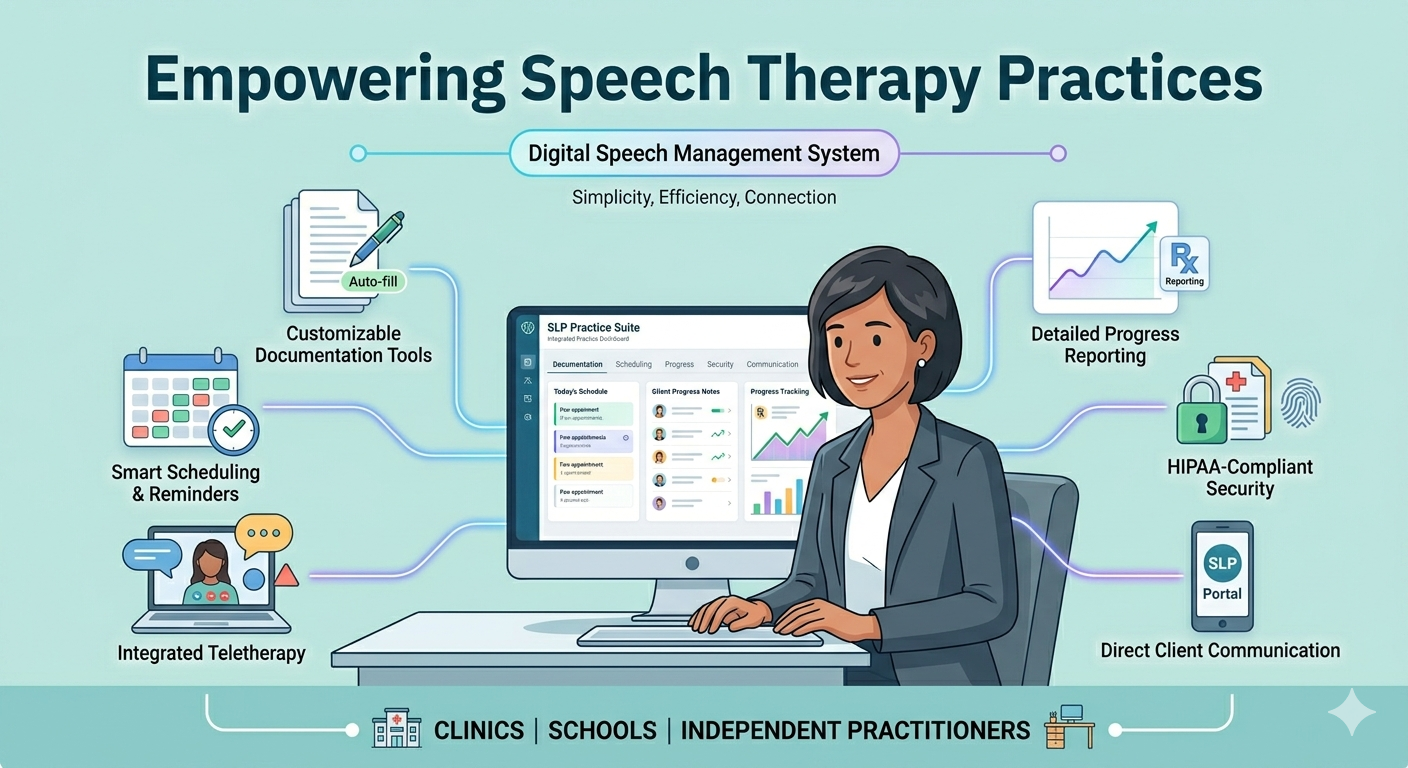
Speech therapy clinics, school-based professionals, and independent practitioners all share a common challenge: balancing quality care with growing administrative responsibilities. The right speech therapy computer software can make that balance much easier by reducing manual work, improving organization, and creating a smoother experience for both therapists and clients.
Choosing the right platform is not just about going digital. It is about finding a system that truly supports how you work, how you communicate, and how you deliver care. Below is a practical guide to help you understand what features actually matter when selecting software for your practice.
Why Choosing the Right Software Matters
Speech language pathologists handle more than just therapy sessions. There are evaluations, treatment plans, progress notes, scheduling, communication with families, and sometimes coordination with schools or other providers.
Without the right tools, these tasks can quickly become overwhelming. A well-designed system helps you:
- Stay organized without juggling multiple tools
- Save time on repetitive documentation
- Improve client engagement and communication
- Maintain compliance with documentation standards
- Focus more on therapy instead of admin work
The goal is simple: less stress, more clarity, and better outcomes.
Key Features to Look For
1. Simple and Efficient Documentation Tools
Documentation is at the heart of every therapy session. Your software should make this process faster and more intuitive, not more complicated.
Look for systems that offer customizable templates, easy note-taking, and the ability to quickly update progress during or after sessions. Features like auto-fill, voice-to-text, or reusable templates can significantly reduce the time spent on paperwork.
The easier it is to document, the more consistent and accurate your records will be.
2. Smart Scheduling and Calendar Management
Managing appointments across multiple clients, locations, or therapists can become complex very quickly. A good scheduling system should give you a clear overview of your day, week, or month.
It should also allow easy rescheduling, cancellations, and automated reminders for clients. This reduces missed sessions and keeps your calendar running smoothly.
For those offering online sessions, integrated scheduling that connects directly to virtual sessions is a major advantage.
3. Teletherapy and Online Session Support
Remote therapy is no longer optional for many practices. Whether you work with students, clients in remote areas, or busy families, having reliable teletherapy tools is essential.
Look for software that includes built-in video conferencing, screen sharing, and interactive tools. It should be easy for both the therapist and the client to join sessions without technical confusion.
A smooth virtual experience builds trust and keeps sessions productive.
4. Progress Tracking and Reporting
Tracking client progress is critical for both clinical outcomes and communication with families or organizations. Your software should make it easy to record, visualize, and share progress over time.
Clear reports help you demonstrate improvement, adjust treatment plans, and maintain transparency with parents or caregivers.
Instead of manually compiling data, the system should do the heavy lifting for you.
5. Secure Client Data Management
Handling sensitive client information requires strong security measures. Your software should protect data through secure storage, access controls, and compliance with privacy standards.
At the same time, it should allow easy access to information when you need it. Finding the balance between security and usability is key.
A reliable system ensures that client data is safe without slowing you down.
6. Easy Client Communication Tools
Communication plays a major role in therapy success. Whether it is sending session reminders, sharing updates, or answering questions, your software should make it simple to stay connected.
Built-in messaging, email integration, or parent portals can help keep everyone informed. This reduces misunderstandings and builds stronger relationships with clients and families.
7. User Friendly Interface
Even the most powerful software can become frustrating if it is difficult to use. A clean, simple interface allows therapists to navigate the system quickly without needing constant training.
The goal is to spend less time learning the tool and more time using it effectively. A user friendly design improves adoption across your entire team.
8. Customization for Different Therapy Needs
Every practice is different. Some therapists work in clinics, others in schools, and some offer home or online sessions. Your software should adapt to your workflow, not the other way around.
Look for customization options such as editable templates, flexible workflows, and adjustable settings that match your specific needs.
9. Integration With Other Tools
Many therapists already use tools for billing, communication, or reporting. Good software should integrate smoothly with these systems to avoid duplication of work.
When everything works together, you reduce errors and save time. Integration creates a more connected and efficient workflow.
10. Reliable Support and Updates
Technology should evolve with your practice. Choose a provider that offers regular updates, listens to user feedback, and provides reliable customer support.
When issues arise, having a responsive support team can make a big difference in keeping your operations running smoothly.
How to Choose the Right Fit for Your Practice
Not every feature will matter equally to every therapist. The best approach is to focus on your daily challenges.
Ask yourself:
- Where do I spend the most time on administrative work?
- What tasks feel repetitive or frustrating?
- How do I currently manage scheduling, notes, and communication?
- Do I need support for remote sessions?
By identifying your biggest pain points, you can prioritize features that will make the most impact.
It is also helpful to explore demos or trials before making a decision. Seeing how the system works in real scenarios can give you a better understanding of its value.
Common Mistakes to Avoid
Choosing software is an important decision, and a few common mistakes can lead to frustration later.
Avoid selecting a system that feels overly complex or requires too much training. Also, do not focus only on price while ignoring usability and support.
Another mistake is choosing software that does not scale with your practice. As your client base grows, your system should be able to grow with you.
Final Thoughts
The right speech language pathology software is more than just a digital tool. It becomes part of your daily workflow, supporting everything from scheduling to documentation and communication.
When chosen carefully, it can reduce stress, save time, and help you deliver better care to your clients. Focus on features that align with your needs, keep things simple, and prioritize usability.
A thoughtful choice today can create a smoother, more efficient practice for years to come.
FAQs
1. What is the most important feature in speech therapy software?
The most important feature is efficient documentation. Since therapists spend a significant amount of time writing notes and tracking progress, having a system that simplifies this process can make a major difference in daily workflow.
2. Is teletherapy support necessary for speech language pathologists?
Teletherapy has become increasingly important, especially for reaching clients who cannot attend in person. Having built-in online session capabilities ensures flexibility and continuity of care.
3. How can software improve client engagement in speech therapy?
Software improves engagement through better communication, appointment reminders, and progress tracking. When clients and families can easily stay informed, they are more likely to stay involved and committed to the therapy process.
Ready to simplify your therapy practice?
Get started with https://app.readysetconnect.com/ today - access powerful, easy-to-use tools for scheduling, documentation, and client communication. Start free and scale as your practice grows.

 English
 Arabic
 French
 Spanish
 Portuguese
 Deutsch
 Turkish
 Italiano
 Russian
 Romaian
 Portuguese (Brazil)
 Greek
Greek